Teleport
2025
HS Code Management Module
A centralized module or platform for internal users to view, manage and maintain configurations for HS codes.

Overview
XX
The Harmonized System (HS) is an international standard for classifying traded goods, maintained by the World Customs Organization (WCO). The standard format of a HS Code consists of 6 digits however, some countries extend it according to the local needs. Hence, accuracy is really crucial and mis-mapping can lead to customs delays and fines, especially in air cargo with time-sensitive shipments.
Problem
XX
Users has been managing the HS code from different file sources according to different countries. Not only that, user also need to constantly check on the government custom website as it is being updated every 5 years and need to apply those changes into the files. This cause extra workload for user and definitely hard to organize.
Therefore, users need a centralized module or platform where they can neatly view, manage and maintain the configurations.
Goals
XX
To build a centralized platform for HS Code Management to support international trade entities in classifying goods accurately and complying with customs regulations.
Support multi-country selection via ISO country code and display filtered results in a single page for high-level viewing or comparison.
Support scalability for handling large datasets (example, ten thousands of HS codes per country).
Design Process
XX
Site Map
Prior started, me and the product manager had quick discussion where he shared some context for this project. He then shared me his documentation via Notion for me to read through. Upon understanding the requirements, I drew out the important functions and flows, then put it into a site map.
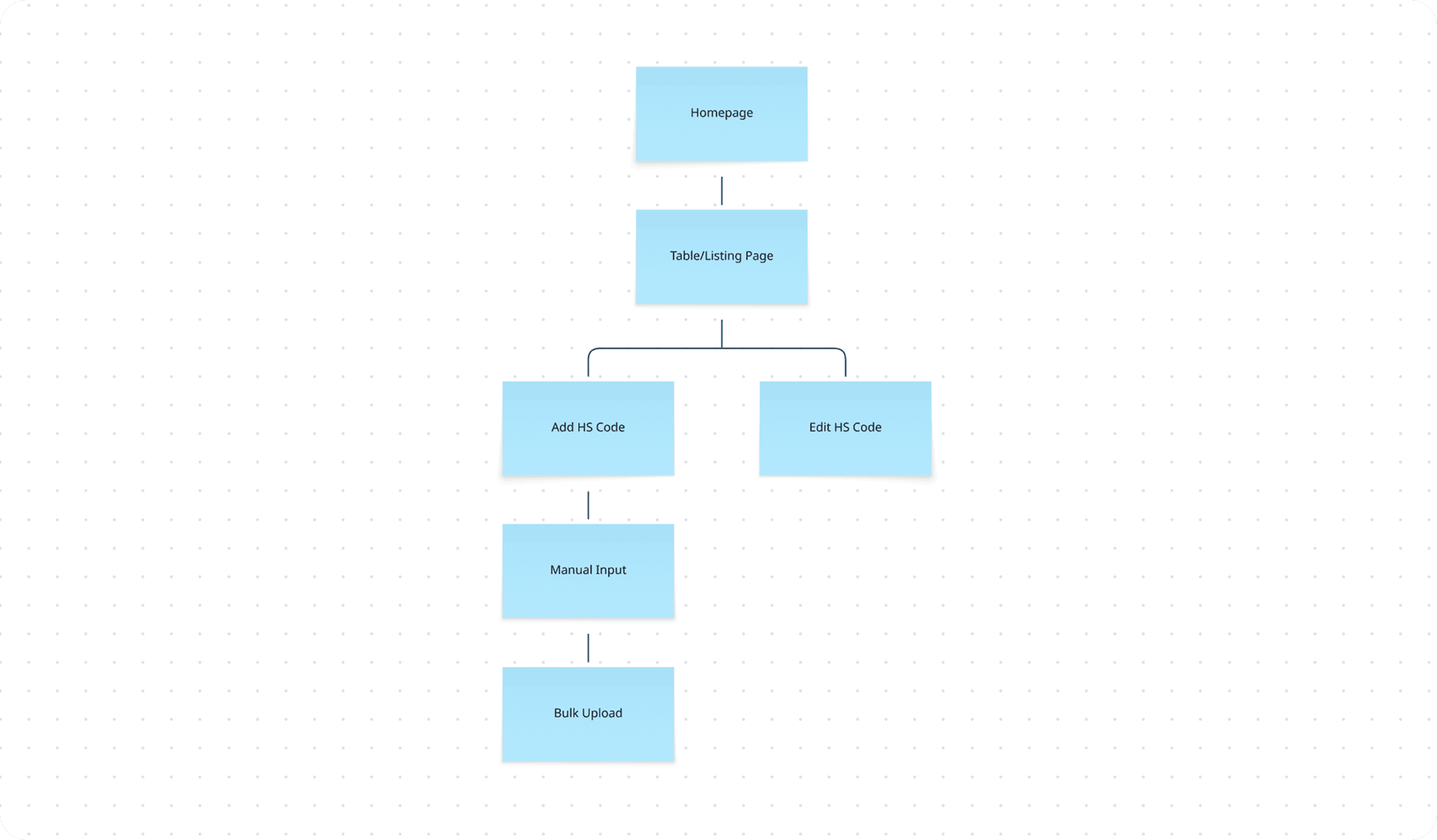
In order to map out HS codes into our system, add function is important so users are be able to register new HS code data – be it through manual input or bulk upload.
Edit option should also be available. Not only it complement the add function, it also enable users to update the existing data incase of user mistakes or outdated details.
Wireframes
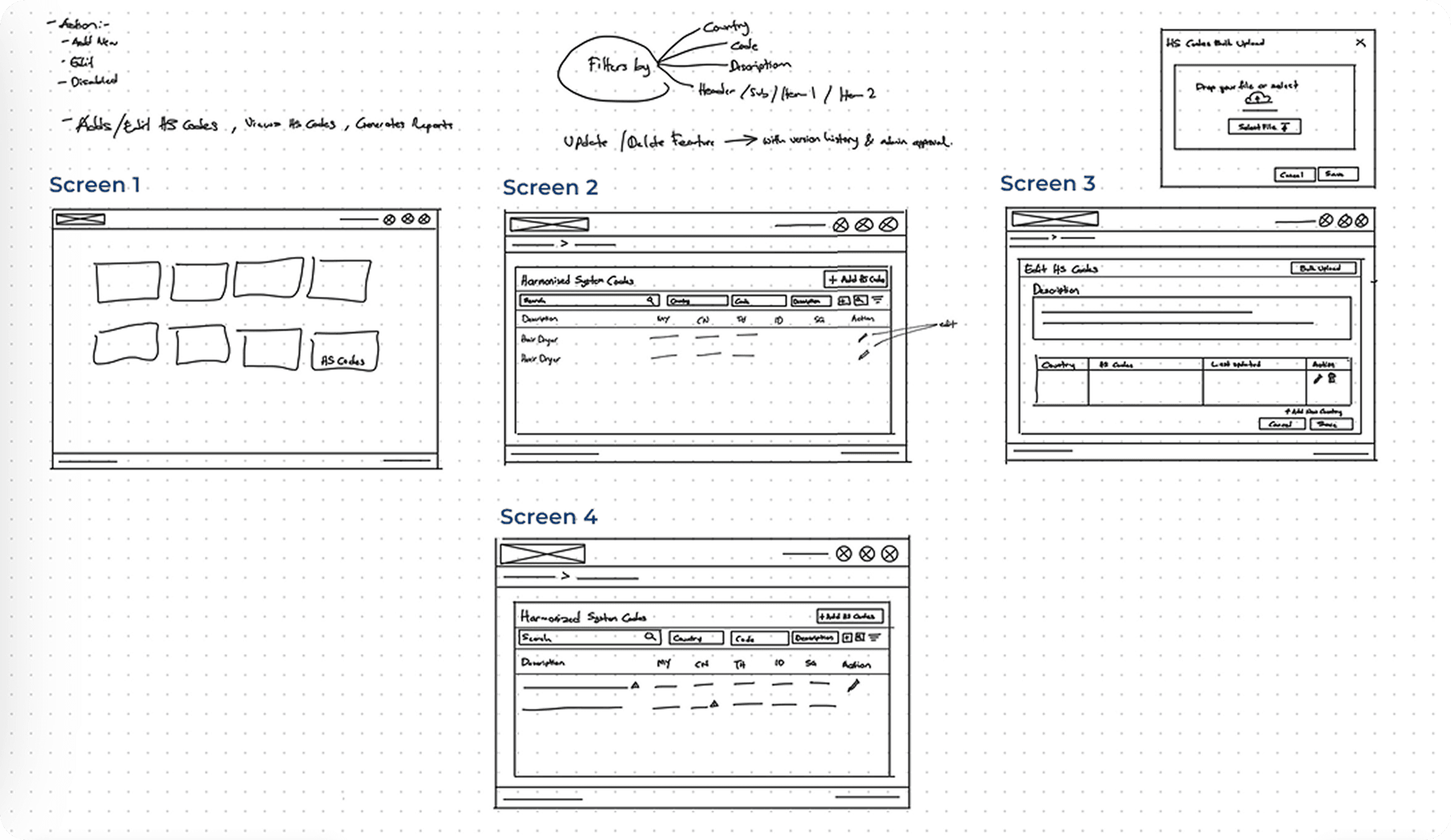
Since this project is an additional module in One Teleport (an existing product), what’s most important is to maintain the look and feel of the UI.
Screen 1 displays card selection in the main menu or dashboard.
Screen 2 is the table or listing page, from here user can add new HS code and edit existing HS code.
Screen 3 is the continuation when user clicked on the Add HS Code button – this page is for user to put in details such as HS code and HS code description.
Screen 4 show sample of how the table or listing page shows if there’s duplicate on the HS number or description – warning icon will prompt to inform user they required to fix the error by re-checking and update the details.
Iterations
The first design only covers simple and basic functions such as creating and editing HS codes for single and multiple countries. It was drafted to aid visualizations and ease discussion process between product manager and internal stakeholders. Therefore, iterations was required to fine-tune the design and explore complex scenarios.
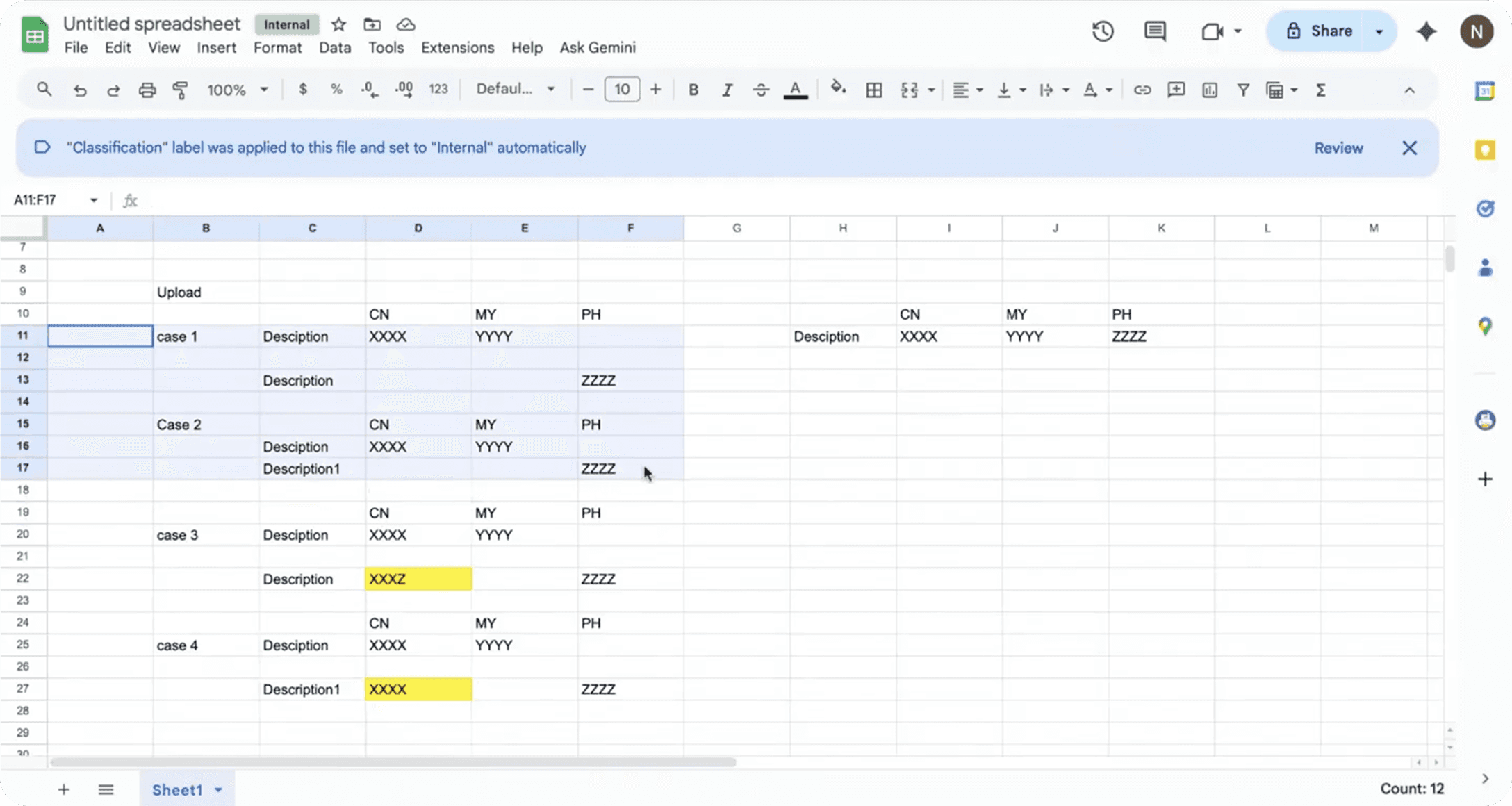
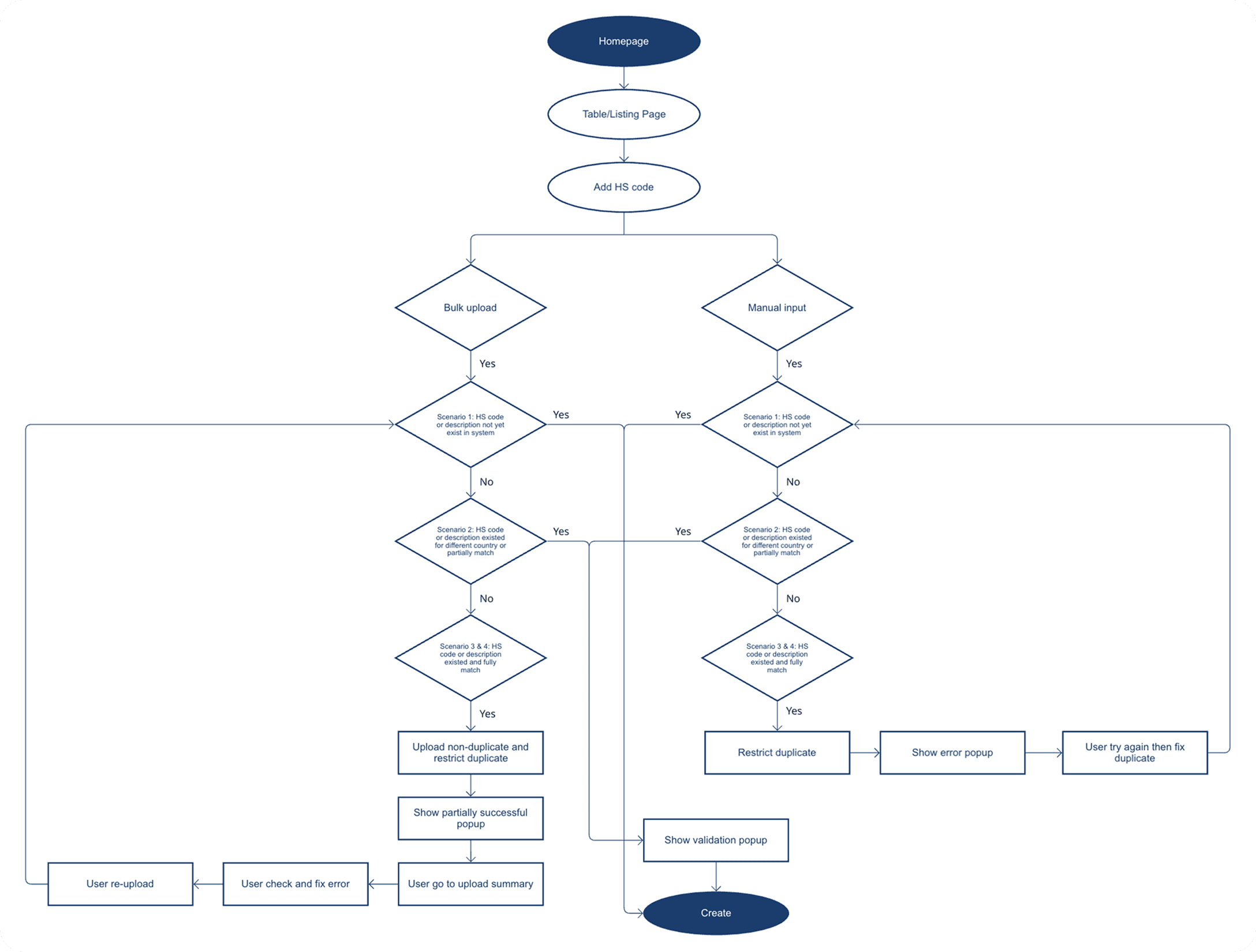
In the discussion, the product manager and I listed several scenarios to expand on the functions and flows. Case 1 and Case 2 are pretty basic. The new single HS code should be automatically saved then merged together with existing row in the table view if description matched and it should create a separate row if description is mismatched.
Case 3 and Case 4 shows our exploration if multiple HS code is being input and one of the HS code either slightly or exactly matched with the existing record.
Solutions
Thinking process and explored the best solutions
Post discussion mentioned above, I did further brainstorming to ponder on the scenarios of HS code creation process and came up with 2 solutions, together with the pros and cons.
Solution 1
Allow duplicate data to be created in the system and provide an error tab for user to review and update the warning/error later on.
Solution 2
Restrict duplicate data and only allow non-duplicate data to be created, provide error details so user can correct the error and re-upload.
Solution 1 | Solution 2 | |
|---|---|---|
Pros |
|
|
Cons |
|
|
Apart from drawing out the possible solutions, I also took the initiative to double check with the Software Engineer Manager of this project to get perspective from developer side. Upon carefully considering the pros and cons I proposed to proceed with Solution 2 as it is the safest choice in terms of data reliability and better user experience flow.
Flow Diagram
I came up with a flow diagram of the HS code creation process to finalize it before getting into design work. This work as a reference or guidelines upon designing.
Lessons
Key Takeaways
Prioritizing Speed Over Early Visual Perfection
While high-fidelity designs are useful for showcasing final concepts, they were often prioritized early in our process. In hindsight, adopting low-fidelity prototypes would have enabled faster exploration and iteration, reducing time spent refining visuals before validating core ideas. This approach could improve efficiency by focusing on user flows and functionality first, before moving into detailed design.
Guiding User Actions to Minimize Errors
Allowing users to complete actions freely and correcting errors afterward creates friction and inefficiency. By introducing guided flows and thoughtful constraints, users are supported in making the right decisions upfront. This not only streamlines the experience but also ensures higher data accuracy, which is critical for this system.